

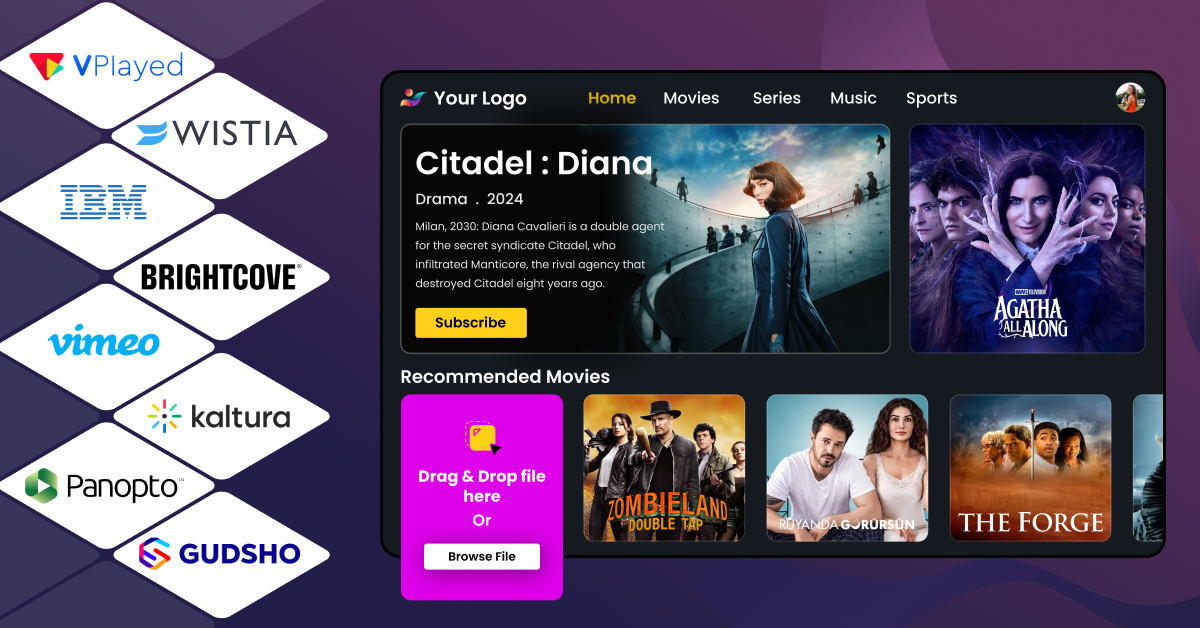
A video content management system, or a video CMS, is a platform that allows businesses to upload their video content, organize it into categories, and distribute those videos all from one central place.
Nearly 82% of internet traffic in 2026 is from videos, as users spend 100 minutes a day watching videos. It is very evident that video content is dominating the media consumption trends, and hence, you must choose the right video CMS.
Managing and optimizing video workflows might seem like a simple task, but only when businesses have the best video CMS at hand. Without the right one, video-driven businesses end up with a clunky platform that no one wants to use.
With so many platforms claiming to “revolutionize” video management, it’s easy to feel stuck in analysis paralysis.
This guide breaks down the 8 best video CMS platforms in 2026 (VPlayed, Panopto, Brightcove, IBM Cloud Video, Wistia, Vimeo OTT, GUDSHO, and Kaltura) and helps you choose the right one for your needs.
- Fully Customizable
- Lifetime Ownership
- On-Premise/On-Cloud
- 100% White-label
- Zero Revenue Share
- Hire Developers
Video Content Management System Comparison: Top 8 Platforms at a Glance
| Platform | Best For | Pricing | Free Trial | Live Streaming | Monetisation Support |
| VPlayed | Media houses, enterprises, large-scale broadcasters, niche content owners | One-time License with 0% revenue sharing | No (free demo available) | Yes | 10+ monetization models, including SVOD, TVOD, AVOD, Hybrid |
| Panopto | Educational institutions and corporate training | Custom Pricing | Yes | Yes | Limited monetization models. Primarily LMS-focused |
| Brightcove | Media houses, large enterprises, and marketing teams | Custom | No (free demo available) | Yes | SVOD, TVOD, AVOD, SSAI |
| IBM Cloud Video | Large-scale live streaming and enterprise communications | Silver plan: $154/month for 100 viewer hours | Yes (30 days) | Yes | Limited monetization support |
| Wistia | B2B video marketing and lead generation | Business plan: $79/month (billed annually) | Yes (14 days). There is also a free plan with limited features | Yes | Limited (lead generation focused) |
| Vimeo OTT | Independent creators who want to offer subscription-based content | Starter plan: $1/subscriber/mo + 10% TVOD. Enterprise plan: custom pricing | No | Yes (in Enterprise plan) | TVOD and SVOD in the Starter plan.Enterprise plan includes AVOD and FVOD, along with TVOD and SVOD. |
| GUDSHO | Independent creators and small video businesses | Custom pricing | Yes | Yes | AVOD, SVOD, TVOD and Hybrid |
| Kaltura | Educational institutions and enterprises that need an open-source platform | Custom pricing | Yes | Yes | AVOD, SVOD, TVOD, FAST, and Hybrid models |
Looking To Build Your Own CMS Platform?
Start and Grow Your Video Streaming Service With 1000+ Features & 9+ Revenue Models.
 Highly Customizable
-
Life Time Ownership
-
Own 100% of Your Revenue
-
Full-Branding Freedom
 Highly Customizable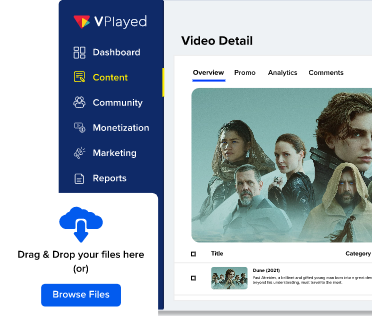
Top 8 Best Video Content Management Systems For 2026
We’ve curated a list of top video content management systems, based on key factors including content organization capabilities, distribution efficiency, analytics depth, and overall value for investment.
1. VPlayed
Enterprise Video CMS built for Scale and Performance
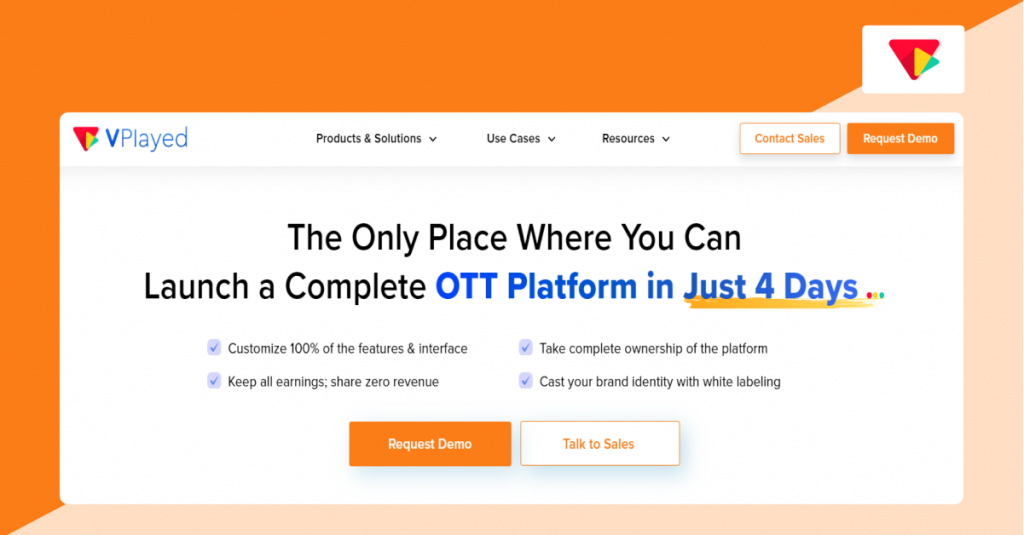
VPlayed is a powerful, self-hosted, and flexible video content management system that caters to a wide range of content management and distribution needs, across industries from entertainment to healthcare to education and sports. VPlayed is known for its flexible multilingual support, making it ideal for content businesses yearning for maximum reach.
VPlayed offers advanced user permissions, making it ideal for multinational corporations that require detailed access controls. VPlayed enhances functionality with multiple content partner portals, custom integrations, and extensive bulk video scheduling options. Built-in video editing functionality allows content businesses to customize videos within the video CMS ecosystem rather than needing external software.
As one of the best video CMS 2026 options, VPlayed provides a powerful solution for managing extensive and diverse content efficiently.
Why We Picked VPlayed Video CMS
Content-driven businesses that treat video as an integral part of business operations can choose VPlayed CMS. Functionalities like bulk uploading and metadata management are straightforward with drag-and-drop tools. It’s ideal for media-tech enterprises that expect their video CMS to scale with complex workflows.
VPlayed CMS Key Features
* High Customization: Modify the video content management system on both the frontend and backend to fit specific content distribution workflows.
* Monetization Opportunities: VPlayed provides multiple ways to make money with your videos, including ad revenue, channel memberships, or hybrid models.
* Generate Custom Thumbnails: Customize content with unique, persuasive thumbnails with VPlayed’s built-in AI capabilities to increase video click rates.
* Set Custom Metrics: Stakeholders can set custom targets, track video performance, and optimize content distribution and monetization strategy based on the suggestions.
* Enterprise Security: Includes features like digital rights management (DRM), single sign-on (SSO), AES encryption, Geo-blocking, and more.
* White-label Branding: Irrespective of whether you integrate VPlayed as a top video streaming platform or a video CMS option, you maintain 100% control over branding, data, and source code.
VPlayed CMS Integrations
Integrations include Shopify, Google Analytics, Google Calendar, Asana, Mailchimp, Slack, Stripe, Google Drive, Google Sheets, Calendly, and 200+ third-party integrations.
VPlayed Pricing
VPlayed offers one-time licensing. Businesses can contact their sales team for a custom quote. They offer a free demo for infrastructure consultation. Unlike SaaS platforms that require recurring fees or per-subscriber fees, VPlayed lets you retain 100% of your revenue.
2. Panopto
Video CMS built for Educational Institutions
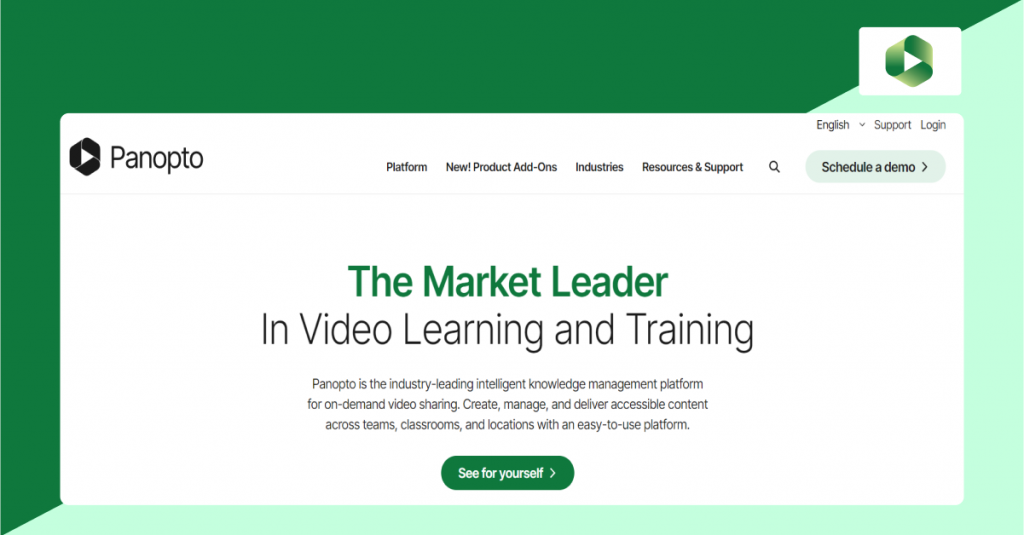
Panopto is a scalable, AI-powered video content management system, known for its automatic captioning and seamless integrations (like LMS platforms). Educational institutions and enterprises favor it due to its ability to handle sensitive educational content and data. Panopto has built-in tools to capture lectures, presentations, and screen recordings, along with an editor to trim, slice, and add quizzes.
This video CMS is cloud-based, as educational content owners can scale their video operations hassle-free. Panopto includes built-in AI-Powered search functionality that indexes spoken words and text on screen. It brings the video CMS context into academics, employee training & onboarding, and internal communications, so corporations can streamline video operations at scale.
Why We Picked Panopto Video CMS
We picked Panopto for teams that value ease of use and quick rollout. Multiple customizable video ingestion workflows let you adapt to different product lines or motions. Online educators get course performance and learners’ insights; learners get course progress tracking, and more. It’s a strong starting point that scales as you add more video content into the pipeline.
Panopto CMS Key Features
* Embeddable Videos: Videos hosted on Panopto’s centralized library with links available to embed on social media or your own website.
* Built-in SEO Tools: Organize and optimize your videos with tags and metadata to enhance search engine discoverability.
* Video Transcoding: Automatic video transcoding ensures optimal playback, characterized by quick start times and high resolution.
* Video Security: Secures videos with DRM, dynamic watermarking, signed URLs, and geo-blocking, etc for added protection.
* Video Portal Customization: Panopto automatically customizes your video portal and player controls to reflect brand identity.
Panopto CMS Integrations
Integrates with major LMS (Learning Management System) platforms like Canvas, Blackboard, and Moodle. Also integrates with authentication systems (SSO, OAuth, SAML, Active Directory), and can connect with CRM and other enterprise systems via API.
Panopto Pricing
Panapto offers custom pricing based on requirements, and it has a free trial.
3. Brightcove
Centralized Video Management for Growing Enterprises
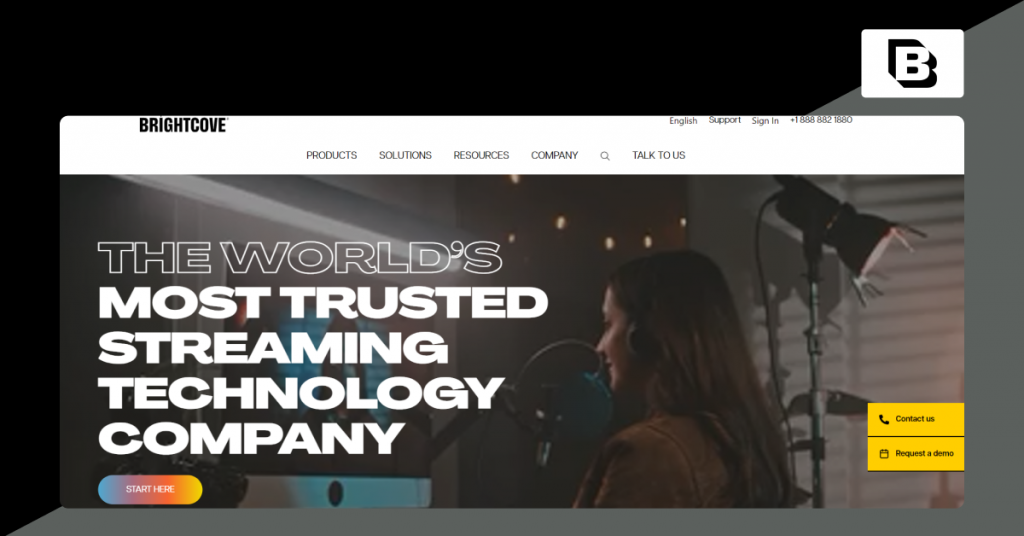
Brightcove is widely recognized for its cloud-based content management system and API suite. As an API-first CMS, Brightcove blends with third-party tools and offers decent content modeling features. Brightcove enables content teams to handle metadata, search videos, integrate with external CMSs (like WordPress), and analyze viewer data to maximize engagement and monetization.
Despite offering a white label streaming platform, Brightcove offers REST-based APIs (specifically the CMS API) to allow developers to build custom workflows for content management. Yet, users report that the analytics dashboard is not very intuitive, and the lack of advanced analytics makes things complex.
Why We Picked Brightcove Video CMS
Content management is fast because you work where you already are. Video ingestion pipelines are simple to tailor, and drag-and-drop functionality speeds content organization. Role-based access controls and other security protocols keep video content secure. If you’re an API-driven content business, it’s frictionless.
Brightcove CMS Key Features
* Multi-Channel Distribution: Circulate videos to social media platforms, websites, apps, and email to attain maximum reach.
* Dynamic Ingest API: Automatically pulls and adds videos to the video cloud system through a JSON request.
* Metadata Management: Access and update video data, including names, descriptions, tags, and custom fields.
* Analytics: Offers viewer-level insights such as watch time, content preferences, and engagement history.
* Video Paywall: Protect videos with a paywall or password and host private and unlisted content.
Brightcove CMS Integrations
Connects with tools like Salesforce, Eloqua, Sitecore, Hootsuite, and Shopify to seamlessly enhance video operations. Also, Brightcove connects with external systems (like WordPress) to manage video content directly from a familiar interface.
Brightcove Pricing
Not publicly disclosed. Businesses can request a custom quote based on their requirements, such as bandwidth, storage, video plays, or any other specific features. It also offers a free trial.
Is Brightcove Holding You Back?
4. IBM Cloud Video
Enterprise Video Management in the Cloud
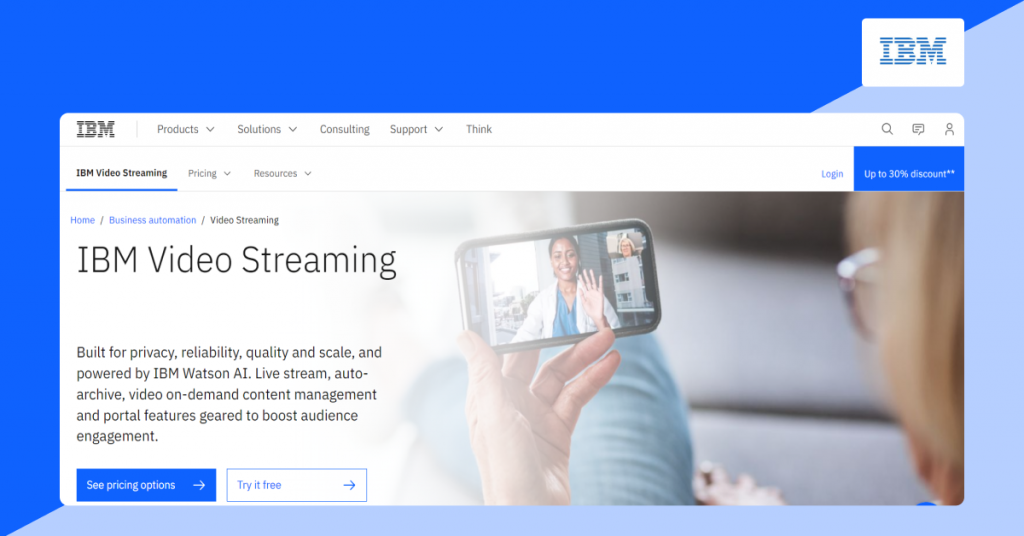
IBM Cloud Video is an integrated suite of an AI-powered video content management system, exclusively developed by the tech giant IBM. Alongside video hosting and streaming, the platform also offers content management and monetization solutions. With IBM Watson AI, media enterprises can automatically transcribe (speech-to-text), generate closed captions, and much more.
The main drawback of this cloud-based video CMS is that it won’t let you embed videos for non-logged-in users. The costs of ownership can quickly increase as your requirement for advanced capabilities grows.
Why We Picked this Cloud Video CMS
We picked this video CMS for enterprise operations, which need fewer tools. Automated, personalized video ingestion workflows ensure no content library remains clunky or outdated. AI capabilities like automated captions and in-video keyword searching move content closer to the intended audiences.
IBM Cloud Video Key Features
* Live and On-Demand (VOD): Supports broadcasting live events (town halls, webinars) and hosting on-demand video libraries.
* Security Solutions: Restrict access to corporate video assets. Easily integrate with corporate directory systems for single sign-on or use email authentication.
* Video Personalization: Suite of AI capabilities include personalization, which allows corporations to customize video based on sales and marketing needs.
* Analytics: Exhibits real-time notifications when a viewer watches your video, along with powerful analytics like video views over time and viewer-level data.
IBM Cloud CMS Integrations
Integrates with existing corporate directory systems, external analytics platforms (like Google Analytics), and generic platforms (like Asana, Calendly, Slack, etc.).
IBM Cloud Pricing
Silver: $154/month
Gold: $773/month
Platinum: $1550/month
30-day free trial available
5. Wistia
Cloud Video CMS with Deeper Marketing Analytics

Wistia is a modern video content management system designed specifically for content creators and publishers. Usually regarded among the best online video platforms, Wistia is known for its customizable players and lead generation tools (email capture, CTAs). It is also known for its minimalist interface, enabling fast-paced content businesses to maneuver around video management, hosting, and editing.
Wistia video CMS leverages AI agents to increase speed, accuracy, and effectiveness of video management. The platform autonomously identifies promising video pipelines, enhances video data, and tracks video performance with zero manual effort, allowing teams to focus on high-value interactions rather than administrative tasks.
Why We Picked Wistia Video CMS
Wistia’s straightforward and intuitive interface simplifies the management of video pipelines without sacrificing functionality. This user-friendly approach is ideal for businesses seeking a video CMS that can be quickly implemented and easily mastered by all team members. Wistia allows video-first businesses to create customized, branded video galleries.
Wistia Video CMS Key Features
* Lead Generation & Marketing Tools: Enables in-video call-to-actions (CTAs) and email capture forms to convert viewers.
* Easy Embedding: All Wistia wants you to do is, copy the automatically-generated embed code and paste it onto the web page of your choice. You’ll have the high-quality, buffer-free video exactly where you want it.
* Analytics: Offers second-by-second viewer data, including heatmaps, play rates, and engagement metrics.
* Creation & Editing: Includes tools for screen recording (Soapbox) and basic video editing.
Wistia CMS Integrations
Integrates with tools like Descript, Google Analytics, Mailchimp, Salesforce, Zoom, Zendesk, and many more. Plus, it also facilitates social media management with extended support for tools like Hootsuite, Facebook, LinkedIn, and YouTube.
IBM Cloud Pricing
Free plan with limited features (25 GB max of storage and supports 1 user)
Business: $79/month billed annually. Offers a 14-day free trial and supports 250GB storage and 3 users
Enterprise: Custom Plan. 1TB storage and custom users.
6. Vimeo OTT
Video CMS Built for OTT Distribution
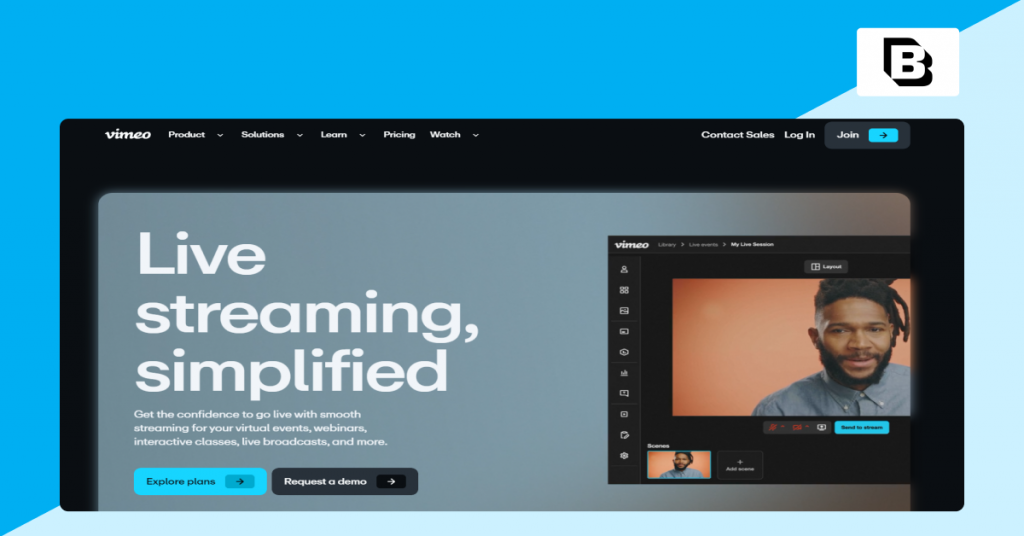
Vimeo OTT is a powerful, scalable video content management system, suitable for content owners and media houses with on-demand needs and live streaming requirements. The platform offers all the necessary tools to effectively upload, organize, host, and distribute video content.
The best part is that it doesn’t stop at just distributing your video content. You get ongoing support to create a movie streaming website, customize your platform, and improve the viewer experience.
However, Vimeo has limited player customizations, which makes video workflows a bit convoluted. Fast-paced content businesses struggle with Vimeo’s glacial upload speeds, bandwidth limitations, and capping the concurrent viewership.
Why We Picked Vimeo Video CMS
We picked Vimeo for media enterprises that want a searchable and easily shareable online video library. Vimeo CMS supports content businesses with the embed anywhere functionality, allowing them to embed a high-quality video player seamlessly. Transcript search and admin security are built in, and extensive performance tracking gives insights on various metrics.
Vimeo Video CMS Key Features
* Analytics & Reporting: Detailed, centralized dashboards to track subscriber growth, revenue, and viewer behavior.
* Live Streaming: Capabilities to host and stream live events directly to audiences.
* Access controls: Provides role-based permissions to manage who can access, edit, or share folders or videos across teams or departments.
* Video Player: Play videos on an HTML5 player with API access and an open source community for developer support.
Vimeo CMS Integrations
Integrates with tools like HubSpot, Dropbox, Asana, Mailchimp, Kapwing, Shopify, Tumblr, Slack, and many more. Plus, this video CMS integrates with the Adobe suite of tools (like Adobe Express, Adobe Premiere Pro, and Adobe Media Encoder).
Vimeo CMS Pricing
The starter plan is at $1 per subscriber/month
The Enterprise plan is custom pricing
7. GUDSHO
Professional Video CMS with Built-in Marketing Tools

GUDSHO is a scalable, ad-free video hosting and content management (CMS) platform designed for independent content creators. Content teams can use this video CMS to build and enrich 360° video pipelines, segment workflows based on content category, target audience, and video lifecycle stage, all without manual tasks.
With the best HLS video player, it guarantees a flawless video experience to boost engagement and conversions. The professional-grade and creative online space, GudSho, allows independent content aggregators to upload, stream, and earn recurrent revenue from their branded videos on a large scale.
Why We Picked GUDSHO Video CMS
We picked this video CMS for early-stage content businesses and independent content creators that need proactive signals. Advanced video library controls facilitate file sorting, whereas ad-free video playback guarantees a seamless viewer experience every time.
GUDSHO Video CMS Key Features
* Built-in Editing Tools: Allows users to trim, merge, and edit videos directly within the platform.
* Marketing & Analytics: Provides detailed, real-time analytics (views, engagement, heatmaps) and supports lead generation.
* Social Media & Integration: Enables scheduling and posting across multiple social media platforms, along with integration into existing marketing workflows.
* One-Click File Sharing: Share video files effortlessly with just one click, directly from the dashboard, without switching between tabs.
GUDSHO CMS Integrations
Key integrations include HubSpot, Instagram, Facebook, LinkedIn, X (Twitter), and YouTube. It allows for direct, bulk posting and scheduling across these platforms, though it does not offer a public API.
GUDSHO CMS Pricing
TNot publicly disclosed. Businesses can request a custom quote based on their requirements.
8. Kaltura
Open-Source, Cloud-Based Video CMS for Big Corporations

Kaltura is primarily known for its end-to-end capabilities, allowing large corporations to edit, manage, and organize large video libraries. With a built-in Kaltura Capture tool, corporations can enable instant screen recording to monitor employee training programs. Kaltura CMS is best suited for large corporations, educational institutions, and universities that require a full-suite system to handle a massive number of video files.
Why We Picked Kaltura CMS
We picked Kaltura for big corporations that want enterprise-grade CMS depth without heavy engineering. You can model content pipelines end-to-end, automate workflows, and surface a 360° view so every member can see context at a glance. Real-time analytics help you spot bottlenecks and course-correct quickly. Built-in interactive tools enhance viewer engagement, whereas functionalities like automated captioning enhance inclusivity.
Kaltura Video CMS Key Features
* Video Management: Centrally manage, edit, and organize large video libraries with categories, metadata, and playlist creation.
* Video Creation & Capture: Tools like Kaltura Capture allow for easy desktop and screen recording.
* Analytics: Access fine-grain analytics on a video and user level in real-time with custom reporting options.
Kaltura CMS Integrations
Integrates with popular Learning Management Systems (LMS) like Moodle, Blackboard, and various video players.
Kaltura CMS Pricing
Varies based on requirements such as number of viewers, storage, bandwidth, features, and deployment model. Businesses can contact their sales team for a custom quote. A free trial is available.
Which Video CMS is Right for Your Business?
There are dozens of choices available in the market, and the most suitable CMS for video content is determined by your unique infrastructure requirements and monetization opportunities. The following is a chronological list of tips that can assist you in overcoming analysis paralysis and choosing a video content management system that can grow with your organization.
Best Video CMS for Media Companies and Broadcasters
For high-level broadcasters and media houses, the focus is on overall platform management and ROI maximization.
Top Recommendation: VPlayed
Why it wins: VPlayed has a zero revenue share model with 100 percent white-labeling, unlike SaaS models, which charge a success tax. It offers complete ownership of the source code and on-premise deployment, which is essential to security-conscious broadcasters.
Core Capabilities: Built-in DRM, multi-device delivery (Smart TVs, Web, Mobile), and a hybrid Live + VOD management platform built to scale to global levels.
Best Video CMS for Educational Institutions and Corporate Training
In EdTech and the L&D industries, the perspective changes to the learning outcomes and compliance rather than the views.
Top Recommendations: Panopto and Kaltura
Why they win: Panopto is the university standard in the industry, with extensive LMS integration and industry-leading inside-video search. Kaltura offers a very modular open-source platform that is compliant with SCORM and virtual classrooms.
Core Capabilities: WCAG-compliant accessibility and automated lecture capture, detailed learner analytics to monitor completion rates and engagement.
Best Video CMS for Marketing Teams and B2B Businesses
Marketing-focused companies require a video CMS that will act as a lead generation machine, which transforms the viewers into pipeline data.
Top Recommendations: Wistia and Brightcove
Why they win: Wistia is a B2B platform and has native HubSpot and Salesforce integrations, which enable you to export video viewing data to your CRM. Brightcove provides high-performance campaigns with Server-Side Ad Insertion (SSAI) and marketing analytics at the enterprise level.
Core Capabilities: CTA overlays, email capture forms (Turnstiles) integrated directly into the player, heatmaps, and A/B testing of video thumbnails and content lengths.
Best Video CMS for Creators and Independent Content Businesses
For independent creators, the aim is to start a professional streaming service without a development team.
Top Recommendations: Vimeo OTT and GUDSHO
Why they win: Vimeo OTT is a trusted video CMS for rapid SVOD (Subscription Video on Demand) launches. GUDSHO is creator-monetization focused, providing ad-free hosting and subscription billing, and not charging high-per-subscriber fees at the entry level.
Core Capabilities: Streamlined subscription management, community-building tools, and in-built payment solutions to global communities.
Key Functions of a Video Content Management System
Selecting the best video CMS for an end-to-end video workflow requires understanding key functionalities.
Core management functions enable centralized video control. Content ingestion facilitates automated media intake with bulk upload options. Distribution capabilities deliver optimized video across multiple channels.
Now, let’s deep-dive into these key functionalities:
Core Management Functions
At its core, a video content management system exists to bring order, visibility, and control to your video operations. These foundational capabilities determine how easily your team can manage content.
Centralized Hosting & Storage
Instead of storing video files across local drives, third-party tools, or disconnected platforms, a video CMS brings all video assets into a single, unified environment. Most online video platforms rely on cloud video storage, allowing teams to upload, store, and access videos from anywhere. This makes collaboration easier across distributed teams and ensures content is always available when needed.
Beyond file uploads, many platforms also support live feed ingestion, enabling content to be captured directly from live streams, events, or broadcast sources.
Metadata & Tagging
A video CMS enables content businesses to associate structured information such as titles, descriptions, categories, dates, and ownership details with every video asset. Broadcasters and media companies can utilize a video tagging system to organize content across video workflows.
These capabilities of the best video CMS engender a searchable video library, where content can be discovered in seconds rather than minutes. Many modern content systems support AI tagging, automatically generating tags from speech, objects, or scenes within a video.
Distribution and Playback
Video content management systems support video CDN integration, allowing videos to be delivered through a content delivery network for video. With support for cross-device playback, viewers can enjoy content on mobile phones, tablets, desktops, and connected TVs.
For enterprises, the embedded video player facilitates direct video publishing on websites, apps, or landing pages while maintaining full control over branding, playback settings, and user experience.
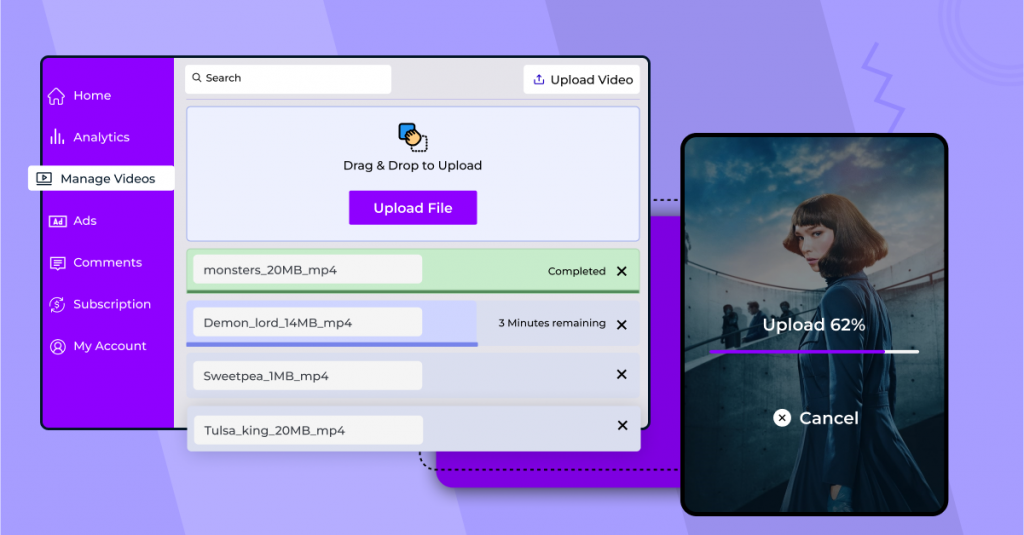
And while managing large video libraries, it’s equally important to know how to recover deleted videos in case important assets are lost due to human error or storage issues.
Multi-channel Engagement Functions
With distribution and playback in place, the focus shifts to how audiences discover, interact with, and engage with video content across channels.
Multi-Channel Publishing
Extending support for multi-channel video publishing enables video CMS platforms to distribute content. Many platforms enable social media publishing and omnichannel delivery, where video content is published once and distributed seamlessly across channels.
Live Streaming
Live video has become an important business metric. Take live commerce (for instance), where 73% of consumers are more likely to make a purchase after watching a live shopping event.
A strong video CMS enables real-time broadcasting, allowing content teams to deliver events, announcements, and experiences as they happen. A live streaming CMS acts as a central hub for managing both live and recorded content, offering greater control over live operations and consistent viewer experiences.
Analytics & Collaboration Functions
Once content is live, the focus shifts to measuring what works and enabling teams to collaborate more effectively around video performance.
Analytics
Analytics help content distribution businesses understand how videos perform after they’re published. A strong video CMS includes a video analytics dashboard that brings key data into one place. These dashboards exhibit viewer engagement analytics (views, watch time, etc.) and audience insights (device usage, geography, etc.) that help optimize distribution decisions.
Collaboration Tools
With role-based access control, businesses can define who is allowed to upload, edit, review, or publish content. This ensures accountability while protecting sensitive assets and reducing the risk of accidental changes. Built-in approval workflows help streamline reviews and sign-offs. Content can move smoothly from creation to review to publication, minimizing delays.
Monetization Functions
Video CMS isn’t just a storage vault; it is a monetization tool. For broadcasters, media companies, and enterprises, the ultimate goal is to turn the views into revenue.
Hybrid Monetization Models (SVOD, AVOD, TVOD)
The best video CMS tools offer a comprehensive monetization suite, so businesses can choose based on their goals. Typically, video CMS tools offer subscriptions (SVOD), Ad-supported content (AVOD), transactional models (TVOD), or a blend of all of these as a hybrid model.
Server-Side Ad Insertion (SSAI):
Video CMS in 2026 offers advanced ads that are directly ingested into the video stream. This helps bypass ad blockers and maintains a broadcast-quality experience.
Payment Gateway & Subscription Management:
Most video content management systems come with integrated paywalls and payment gateways that support international currency and automated billing, recurring payments.
Content Bundling & Tiering:
Advanced video CMS lets businesses bundle content into a “premium tier”. This lets them upsell their library based on viewer behavior data.
How to Choose the Best Video CMS for Your Business
Choosing the best video content management system for your business requires a balance between short-term technical needs and long-term financial goals. Here are 6 steps to help you navigate through complex features to find the one that aligns with your business model.
- Scalability & Performance: Check if the platform’s infrastructure offers global CDN delivery with automated scaling. Enterprise-grade video CMS like VPlayed or Brightcove supports millions of simultaneous viewers. But SMB tools might not offer a consistent performance during peak traffic events.
- Revenue Models: Decide what type of monetization model you need to achieve your business goals (SVOD/AVOD/TVOD). Advanced video content management systems like VPlayed offer SSAI to circumvent ad-blockers while also eliminating the success tax with zero revenue sharing.
- Security & Compliance: Make sure the video CMS offers multi-DRM security protocols such as Widevine and FairPlay. Also look for dynamic watermarking, screenshot blockers, and SSO integration. If your business is from a regulated industry, look into whether the platform is compliant with HIPAA, GDPR, or FERPA standards to ensure maximum data protection.
- Integration Ecosystem: The video content management system you choose must have the ability to connect to your existing tech stack. Make sure it has deep integrations with CRMs Salesforce), LMS platforms (Canvas), and other necessary APIs to automate complex workflows in your niche.
- Deployment Flexibility: Choose whether or not you want cloud, on-premise, or hybrid deployments. Choose cloud-only SaaS deployments for agility. On-premise and hybrid deployments for total control over data. It is advised to go with on-premise if you are a regulated industry business needing absolute data privacy and localized bandwidth management.
- Total Cost of Ownership (TCO): Compare SaaS recurring fees with one-time license models. SaaS offers the best low-cost entry point for independent creators just starting out. While a one-time license may come with high upfront costs, it is best for enterprises and content owners who already have an established audience. It saves thousands of dollars in the long run.
Conclusion
The right video CMS for your video content can make a significant and immediate difference. As you know, the video CMSes listed in this blog make content organization easier, so you and your video operations are streamlined.
Each video content management system discussed in this blog offers an extensive range of features. Some are more suitable for your business than others. The best video CMS ultimately depends on staying organized with the core management functions, without lagging in content delivery and analytical tools.
Final Recommendations:
For Enterprises & Broadcasters: Go with VPlayed for 100% source code ownership, full revenue retention, and advanced security.
For Marketing & B2B Teams: Choose Wistia or Brightcove if you need advanced lead-generation features and CRM integrations that help convert viewers into customers.
For Education & Internal Training: Panapto and Kaltura set the standard for LMS integration, which is highly suitable for large-scale learning environments.
If any of these picks speak to you, their demo versions must be free to explore, so take your time deciding the best one.
- Request Demo Book a Live, Personalized Demo
- Contact Sales Reach Out to Our OTT Experts
Frequently Asked Questions (FAQ):
1. What is a video content management system?
Video content management system or Video CMS is a built-in tool enabled in the video streaming platform for managing, organizing and delivering video content online.
2. Why do businesses need a video CMS platform?
With a large volume of video content, it is hard for businesses and content creators to manage content, video CMS provides solutions for improved search results and enhances the user experience, creating more video engagement.
3. What are the key features of a video CMS?
Content categorization, video content protection, content accessibility, content presentation, content management, content scheduling are some of the key features of a video CMS
4. How much does a video content management system cost?
The price range of a video content management system differs based on the video content platforms video content management systems functionalities and the requirements demanded by the platform.
5. What are some examples of popular CMS platforms?
The popular CMS platforms include VPlayed, WordPress, Webflow, Magneto, shopify and Drupal.
6. What are the benefits of video content management software?
Video management, video analysis, video storage management, video security and organizing the videos based on categorization.


