



The best Uscreen alternatives include VPlayed, Kaltura, Castr, Muvi, Vodlix FastPix and Vimeo OTT. VPlayed supports full revenue ownership, Brightcove supports large broadcasters, Dacast low cost live streaming. Muvi no code OTT launches, Kaltura education, and Wowza infrastructure control, and quick launches with Vimeo. The price and features are verified in October 2026.
Most businesses opt out of Uscreen because they may find that costs increase as their number of subscribers grows, and the Growth plan charges an additional $1.99 per subscriber as part of its $149 per-month fee. Customization is limited, live-streaming hours are capped, TV apps require an add-on/custom plan, and mobile apps require the $449 App Essentials plan.
This guide covers Uscreen’s pricing breakdown, how we selected the alternatives, seven detailed reviews, use-case picks, migration steps, starting with the comparison table.
What is Uscreen?
Uscreen is an all-in-one video membership and monetization platform for creators, coaches, fitness brands and educators. It will enable them to offer membership and on-demand or live content via a branded site and apps. It’s cloud-based and comes with Starter, Growth, App Essentials and Custom plans.
What services does Uscreen offer?
Its core features include:
Marketing and analytics: Promote sales with landing pages, marketing funnels, and gift cards, and track in-depth analytics.
Video on demand and paid memberships: Sell subscriptions, one-time purchases and rentals from a paywalled library.
Native live streaming: Stream live with real-time chat and push notifications, live hours limited by plan.
Community building: Create a community of members within the platform.
No-code mobile and TV apps: Create branded iOS, Android and TV apps without coding, based on the plan.
- Fully Customizable
- Lifetime Ownership
- On-Premise/On-Cloud
- 100% White-label
- Zero Revenue Share
- Hire Developers
What is Uscreen Pricing Structure?
Uscreen pricing structure has four plans: Starter, Growth, App Essentials and Custom. All plans apart from the Starter have a per-subscriber fee on top of the base price.
| Plan | Base Price | Per-Subscriber Fee | Subscribers | Apps |
| Starter | $49/month (monthly billing only) | None | Up to 100 | Web only |
| Growth | 149/monthbilledannually(199 billed monthly) | $1.99 | Unlimited | Web only |
| App Essentials | 449/monthbilledannually(499 billed monthly) | $0.99 | Unlimited | iOS and Android |
| Custom | Quote | $0.99 | Unlimited | iOS, Android and 5 TV apps, community and API access |
Starter does not have any subscription fee but has a limit of 100 subscribers. The payment processor will add its own cut, and additional storage will add to the cost. Below is a table that is based on one formula, which is monthly cost = base price + (per-subscriber fee × active subscribers). For example, Growth at 500 subscribers is $149 + ($1.99 × 500) = $1,144.
| Active Subscribers | Growth | App Essentials |
| 200 | $547/month | $647/month |
| 500 | $1,144/month | $944/month |
| 1,000 | $2,139/month | $1,439/month |
Growth plan is more affordable for smaller audiences. The App Essentials plan becomes the more budget-friendly option after 300 subscribers, and the difference widens even more with audience size. In either case, most of your bill is the per-subscriber fee, and not the base price.
Why Do Businesses Migrate from Uscreen?
Businesses switch from Uscreen primarily for reasons such as escalating per-subscriber fees and key features placed in higher tiers. Mobile apps, TV apps, full white-labeling, and API access all require App Essentials or Custom, and live-streaming hours are limited. These restrictions apply to fast-growing membership businesses and those that require developer control and branded apps.
- Per-subscriber fees: Growth plan increases to $1.99 per subscriber, so 500 subscribers will cost $149 plus $995 a month. This is a blow to businesses with memberships that are too high for the number of members, particularly those that increase their membership more quickly than their prices.
- Branded apps behind higher plans: Growth is web only. The mobile apps begin at App Essentials ($449 per month), while the five TV apps can be found under Custom. This will impact creators whose users are looking for an app in the App Store, Google Play or on TV.
- Live-streaming hours: There is a monthly limit of live-streaming hours in each plan, and exceeding the limit will incur additional fees. This has an impact on live class coaches and fitness brands that offer classes weekly.
- Full white-labeling is only on the top plan: Starter Plan will be running on a Uscreen-branded domain; Growth Plan will feature your own domain. However, the full white-label (including login) is included in the quote-only Custom plan. This impacts brands who would like to have all Uscreen branding taken away from the member experience.
- API and integrations: Only Custom plan users can access the API. If teams wish to integrate a CRM or automate workflows, they should upgrade or use third-party applications.
- Playback analytics: Uscreen analytics are limited to views, watch time, and churn, but there’s no playback-quality information, like buffering. This impacts teams trying to identify playback issues.
- Limited monetization options: Uscreen provides less choice of monetization models than other, larger-scale OTT platforms do, so you have fewer monetization options to test. This will impact businesses that wish to blend models as their clientele expands.
- Advanced features missing or paid extra: Catch-up TV is not available; DRM (digital rights management – protection from piracy) only exists as a paid add-on. This impacts all broadcasters and premium content owners who want to safeguard their video.
- Common complaints on G2: Some G2 reviews have mentioned limited analytics, lack of control over content organization and the confusing dashboard and community notifications that do not indicate which ones they have responded to. There were even some who claimed that feature requests weren’t even addressed.
How We Evaluated the Alternatives?
To deliver a comprehensive Uscreen alternatives review, we analyzed official vendor documentation, product feature specifications, public pricing structures, and verified user reviews on G2. These are the key evaluation criteria we used to assess each platform:
- Revenue Model: We checked whether the platform charges per-subscriber fees, takes a commission, bills a flat monthly fee or sells a one-time perpetual license.
- Security & DRM: We looked at how the platform protects content from piracy, including multi-DRM encryption, dynamic watermarking and geo-blocking.
- Customization & White-Label: We assessed whether you can customize front-end branding only, or get full source-code control with self-hosting options.
- Scale & Live Streaming: We tested whether the infrastructure handles high-volume, low-latency live streams and 24/7 linear TV channels.
- App Coverage: We compared which native apps (web, iOS, Android, Roku, Apple TV and Fire TV) come with basic plans and which require premium plans.
- Pricing Transparency: We checked whether bandwidth, storage, app deployment and transaction costs are stated clearly or hidden behind upsells.
- Customer Support: We reviewed the quality of customer support, technical account management and the service-level agreement (SLA) guarantees offered.
Editorial Disclosure: VPlayed is our flagship product. All platform assessments are purely based on technical documentation, 3rd-party feedback and vendor specifications available in the public domain to ensure complete transparency and objectivity.
The Best Uscreen Alternatives at a Glance
price, TV app support, and primary use case.
| Platform | Starting Price | TV Apps | Best For |
| VPlayed | Custom quote. Free demo. | Yes | Media companies that require full ownership, white labelling, no revenue sharing and rapid deployment. |
| Kaltura | Custom quote. Certain plans have a free trial. | Yes | Broadcasters and education |
| Castr | $16.67/month. 7-day free trial. | Yes (add-on) | Paywall live streaming |
| Muvi | $399/month. 14-day free trial. | Yes (add-on) | No-code OTT launch |
| Vodlix | £1,199/month. 14-day free trial. | Yes | Small-to-mid-size OTT companies that need quick launches. |
| FastPix | Prices are based on usage for encoding, storage & delivery per minute. Higher tiers come with a free trial. | No (API only) | Developers creating video apps. |
| Vimeo OTT | $1 per subscriber/month | Enterprise plan only | Simple web launches |
Top 7 Best Uscreen Alternatives & Competitors Reviewed in Detail
Now that you’ve witnessed the shortlisted platforms at a glance, let’s look at what each platform brings to your business one by one:
1. VPlayed
G2 rating: 4.8
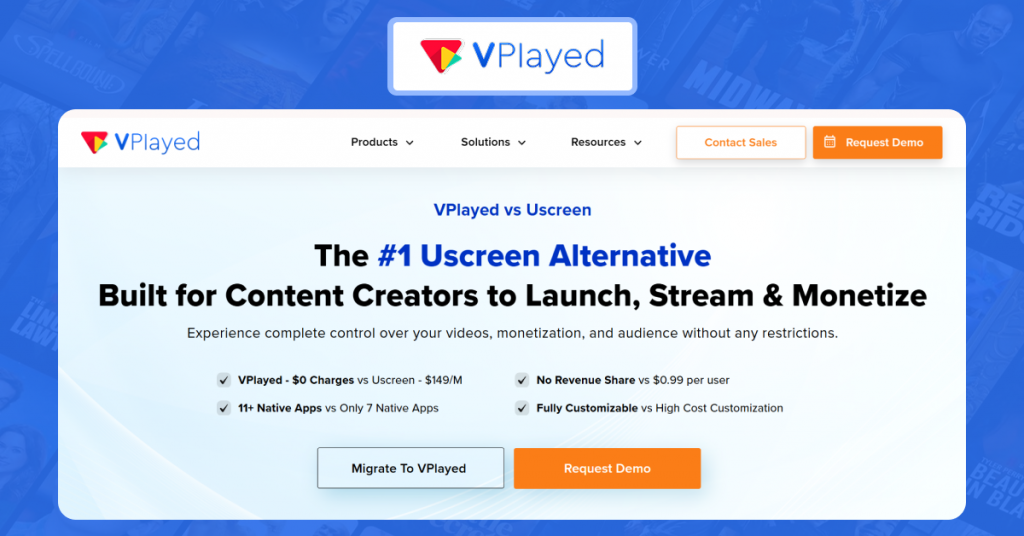
VPlayed stands out as the best Uscreen alternative for video businesses that want to break free from ongoing subscriber taxes. Uscreen charges base fees on top of recurring per-subscriber fees ($0.99 to $1.99 per member). Compared with that, VPlayed offers a one-time perpetual license with full source-code access and white-label customization flexibility.
It’s designed for high-growth video brands and large media companies that want to self-host their entire streaming solution, or deploy to the cloud without third-party platform restrictions.
Best For:
Media networks, enterprise broadcasters and growing video brands that require full access to the source code, self-hosting solutions, and custom OTT infrastructure.
Key Features
- Zero Revenue Share: Keep 100% of your profits; no per subscriber fees.
- Flexible Monetization Models: Supports SVOD, AVOD, TVOD, hybrid models, catch-up TV, in-app purchases, and more.
- Flexible Deployment Options: Select between flexible deployment options.
- Enterprise Security Measures: Multi-DRM, dynamic watermarking, 2FA and geo-blocking protection.
- Linear Broadcasting: Build automated scheduled channels using 24/7 cloud playout and interactive Electronic Program Guides (EPG).
- Global Delivery: Features 4K transcoding alongside robust integration with major content delivery networks.
- Multi-Screen App Ecosystem: Deploy custom apps on web, iOS, Android, Roku, and Apple TV.
Pros:
- Zero ongoing revenue cuts or per-subscriber charges.
- Full source code ownership with complete white-label customization.
- High flexibility with cloud or self-hosted deployment.
Cons
- No free trial (demo only) provided before commitment.
- Involves a steeper learning curve during initial setup and custom configuration.
Pricing
VPlayed comes with custom pricing based on a one-time perpetual license with zero revenue share.
2. Kaltura
G2 rating: 4.3
Kaltura is an alternative to Uscreen for large-scale corporate environments and handles complex educational deployment strategies effortlessly. While Uscreen is popular among lifestyle creators and fitness influencers, Kaltura is aimed at corporate internal communication, staff training, and interactive higher-ed lectures.
It has an open-source backbone that enables engineering teams to integrate video workflows into existing institutional workflows.
Best For:
Enterprise corporations, universities, and educational institutions seeking an extensible, open-source video system that deeply integrates with LMS.
Key Features
- Flexible Hosting Options: Choose between cloud or on-premises deployment to align with internal data policies.
- Developer-Friendly Extensibility: Provides a comprehensive API to create custom video portals and customized workflows.
- Interactive Learning Tools: A dedicated Virtual Classroom that offers interactive features such as live polling, quizzes and screen sharing.
- Seamless Ecosystem Connection: Built on flexible open-source architecture that seamlessly integrates with current corporate or university technology and LMS solutions.
- Actionable Analytics: Delivers deep audience insights to track viewer participation, course completion, and content performance.
- Secure and Smart Streaming: Ensures maximum streaming quality with adaptive streaming and multi-layer DRM content protection.
Pros:
- Exceptional LMS and enterprise software integration capabilities.
- Rich interactive classroom and webinar engagement features.
- Deep API control and highly customizable open source infrastructure.
Cons
- Complex setup process that requires technical and developer expertise.
- The administrative back-end interface might be unintuitive.
- For smaller organizations, enterprise tier costs can start to add up quickly.
Pricing
Offers custom enterprise quotes based on usage and features.
3. Castr
G2 rating: 4.8
Castr is a flexible Uscreen alternative for creators that is designed to broadcast live video at the same time to multiple external destinations, while Uscreen is more focused on out-of-the-box VOD membership websites. Castr makes high-performance streaming easy with powerful SRT and RTMP ingestion protocols.
The platform helps creators control distribution via geo access controls and security features like DRM protection. Built-in paywall features empower channels to generate steady revenue.
Best For:
Streamers, event organizers, and content creators who want an easy-to-use and budget-friendly multistreaming experience with flexible monetization and cloud playout options.
Key Features
- Versatile Monetization Options: Monetizes content through subscriptions, pay-per-view, and in-stream advertising.
- Linear TV Scheduling: Run automated channels around the clock using 24/7 Cloud Playout.
- Interactive Viewer Controls: Improve audience retention with live rewind, allowing viewers to pause, rewind, and catch up.
- Optimized Playback: Delivers smooth stream switching using adaptive bitrate streaming across customizable video players.
- Seamless Integration: Features extensive API access for embedding streams directly onto a custom website.
Pros:
- Unified platform for both multi-streaming and direct VOD/Live monetization.
- Ultra-reliable streaming powered by SRT/RTMP ingestion and CDN delivery.
- Easy 24/7 cloud playout setup for continuous linear channels.
Cons:
- Advanced features like Adaptive Bitrate (ABR) are locked behind higher plans.
- Add-on upgrades or higher tiers are required for mobile or TV applications.
- Bandwidth limits could apply based on the selected plan.
Pricing
- Starter: $16.67 /mo
- Standard: $41.67 /mo
- Premium: $166.67 /mo
- Ultra: $291.67 /mo
- Events: $624.99 /mo
4. Muvi
G2 rating: 4.5
Muvi (specifically Muvi One) is a comprehensive no-code Uscreen competitor designed for creators launching multi-screen OTT apps without any developer assistance. It supports 4K HDR video and Dolby audio for premium playback.
Unlike Uscreen, which locks mobile app access behind a $449/month plan plus $0.99 per-subscriber fees, Muvi One operates with zero subscriber commissions. It allows you to launch seamlessly across 12+ to 16+ native TV and mobile app platforms.
Best For:
Media companies and Content creators looking for an end-to-end, multi-screen OTT ecosystem with integrated AI automation and no revenue sharing costs.
Key Features
- AI-Powered Capabilities: Simplifies workflows with AI-powered tasks, AI chat/Q&A on video, and automated AI dubbing video.
- Massive Multi-Device Reach: Deploy to 12 to 16+ native apps, optimized for mobile, web and Smart TV platforms.
- Enterprise Security Standards: High security and DRM compliance, as an ISO 27001-certified platform.
- Versatile Linear Channels: Easily create live, scheduled streams from on-demand assets with VOD-to-live playout.
- Diverse Monetization Tools: Expand sales using AVOD, SVOD, TVOD, coupons, coins, vouchers, and pre-orders.
- Modular OTT Product Suite: Includes Muvi One (white-label OTT), Muvi Live, Muvi Playout (24/7 linear TV), Muvi Flex (asset management) and a dedicated Player SDK with DRM, all built on AWS, where DRM is charged $0.01 per view.
Pros:
- Unified end-to-end OTT with live, playout and media tools under one ecosystem.
- Delivers a clean, highly structured viewing experience.
- Account representatives and executives at Muvi are helpful during onboarding and management.
Cons
- Its entry cost is higher, and has limited templates, along with usage fees for exceeding the bandwidth and storage limits.
- Encounters limitations in the design and UX flexibility compared to custom-coded platforms.
- Usability is complex, and loading speeds are at times slow.
Pricing
- Standard: $339/month
- Professional: $1,274/month
- Enterprise: $3,315/month
- Ultimate: Custom pricing
Deploying extra apps $254 to $424/month.
Top Muvi OTT Alternatives Worth Considering
Discover OTT streaming solutions that serve as strong alternatives to Muvi for content creators, broadcasters, and enterprises.
5. Vodlix
G2 rating: 4.9
Vodlix is a Uscreen alternative for high-volume broadcast-style video services with predictable operating costs. Unlike Uscreen’s scaling tax, which means that your platform bill increases as you gain more subscribers, Vodlix charges a flat rate and there is no per-subscriber fee.
Vodlix is hosted on a traditional broadcast infrastructure; it fits linear channels and large audiences.
Best for:
Broadcasters and media companies with high volume OTT service needs who are looking to sign up for monthly billable costs and apps
Key Features
- Flexible Monetization: Content monetization via AVOD, TVOD and SVOD.
- Apps Included in Plans: Mobile and TV apps are included in its plans, while Uscreen will charge for apps. Roku, LG and Samsung applications are available as add-ons.
- Electronic Program Guide: Add a schedule of linear channels to an Electronic Program Guide (EPG) that viewers can flip through.
- Catch-Up TV: Allows users to watch shows on their TVs after they’ve aired.
- Content Protection: Digital Rights Management (DRM) protects premium video from piracy.
- REST API and Migration: Integrate with your own systems using a REST API, and migration is available on all plans.
Pros
- No ongoing per-subscriber fees, just a flat fee.
- Comprehensive native support for web, mobile, and major Smart TV platforms.
- Deep traditional broadcast features like EPG, catch-up TV, and VOD-to-live playout.
Cons
- A higher initial starting price as compared to entry level creator platforms.
- Needs greater technical expertise to create customized workflows and API connections.
- Plans cap bandwidth and storage (50 TB and 5 TB on Professional), so very high-volume services may need Enterprise.
Pricing
- Professional: £1,199/month
- Enterprise: £2,999/month
- Custom plan is also available.


6. FastPix
G2 rating: 4.9
FastPix is a Uscreen alternative video-Platform-as-a-Service (VPaaS) specifically targeted towards developers. Uscreen is a closed and ready-made SaaS product, whereas FastPix offers Full API Control and modular SDKs.
This gives the engineering teams the freedom to create a completely custom video application, custom video players, and video monetization logic from scratch. The platform also has real-time analytics, which help improve system performance and viewer engagement.
Best For:
Software developers, product managers and software engineers wishing to create fully custom video applications, custom playback experiences, and custom monetization systems.
Key Features
- Developer SDKs & REST APIs: Comprehensive REST APIs and SDKs for upload, encoding, adaptive bitrate streaming, and playback.
- Custom Architecture Control: For complex live streaming workflows and flexible monetization logic.
- Player & Access Customization: Configure granular playback behavior across custom player setups.
- Multi-Layer Content Protection: Provides high-security AES encryption and token authentication for safe delivery.
- Global Edge Infrastructure: Powered by a Multi-CDN network ensuring low latency worldwide.
- AI-Driven Video Processing: Automates video indexing, searching, and metadata generation through NVIDIA AI APIs.
Pros
- Extremely flexible deep API, enabling full customization of the video pipeline.
- Pay-as-you-go pricing model so you only pay for actual usage.
- Advanced AI video indexing and search automation capabilities.
Cons
- You build the website, paywall and customer accounts yourself.
- There are no ready-made TV apps.
- With a massive volume of streaming, the pay-per-minute cost scaling can get unpredictable.
Pricing
- Cloud Playout: $99 per channel per month, with a 14-day free trial
- Free plan: $0/month, with 10 videos and 100K streaming minutes each month
- Growth: $10/month, unlocks Pro and Premium media quality
- Video Data analytics: 100K session plays free, then $299/month for 1M plays
7. Vimeo OTT
G2 rating: 4.3
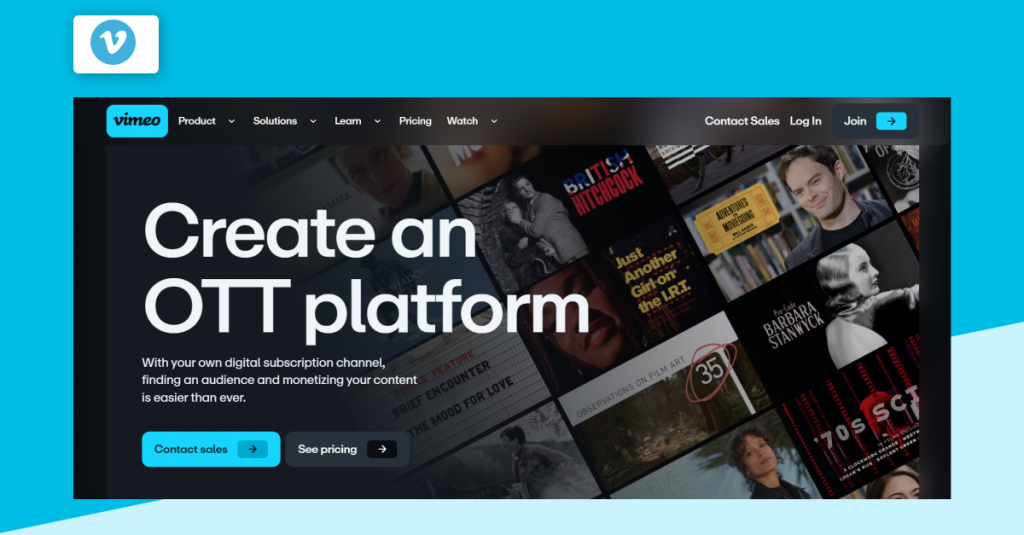
Vimeo OTT is an alternative to Uscreen that lets creators and media businesses launch a Netflix-style subscription service in a VOD format. It also supports standalone videos, so you can sell single titles next to your subscriptions, and it supports 4K video resolution and surround sound.
Compared with Uscreen’s web-only Growth plan ($149 plus $1.99 per subscriber), Vimeo’s Starter charges $1 per subscriber with no monthly base fee.
Best For
Independent creators, video producers and media brands who want a familiar, plug-and-play web and app ecosystem with the flexibility to monetize.
Key Features
- Tiered Monetization Models: Access SVOD and TVOD in basic plan tiers, with AVOD in enterprise setups.
- Branded Ecosystem Control: Launch fully customizable, custom-branded apps across mobile and TV platforms.
- Enterprise Security & Compliance: Protects content infrastructure with SOC II compliance and advanced Digital Rights Management (DRM).
- Multi-Device TV App Integrations: The Enterprise plan offers apps across Roku, Apple TV, Amazon Fire TV, and Android TV.
- Vimeo On Demand Shutdown Notice: Note that Vimeo On Demand is shutting down on November 20, 2026. Creators who are selling on VOD must export opted-in viewer emails and sales information, download master source files, and move their video catalog directly to Vimeo OTT or Vimeo OTT alternatives.
Pros:
- Out-of-the-box infrastructure that makes launching standard web and mobile video stores quick and simple.
- Enterprise adds broad TV coverage backed by SOC 2 security.
- High video and audio streaming quality powered by Vimeo’s global player framework.
Cons
- High ongoing costs due to per-subscriber monthly fees and extra transaction cuts.
- Native mobile and Smart TV app deployment is limited to high-tier Enterprise plans.
- Less flexibility in custom design, layout, and workflow options than open-source or custom-coded alternatives.
Pricing
Enterprise Plan: Custom quote (unlocks branded TV apps, AVOD, and dedicated support)s
Starter / Growth: $1 per subscriber/month + 10% fee on one-time sales
Which Uscreen Alternative Is Right for You?
The best Uscreen alternative for you will depend on your most pressing demand: ownership, quick launch, live and linear channels, or developer control. See the table below for your use case, and then read that platform’s review above for pricing and limits.
| Use Case | Best Pick | Why |
| No revenue sharing with full ownership | VPlayed | A one-time license that includes access to the source code. |
| Universities and corporate training | Kaltura | Virtual classroom and LMS integrations |
| Stream live events and multi-stream on budget | Castr | Low entry cost, and 24/7 cloud playout |
| No-code OTT launch with AI tools | Muvi | AI dubbing and native apps for 12+ platforms. |
| High-volume, broadcast-style service | Vodlix | Flat monthly fee, with EPG and catch-up TV |
| Custom-built video app | FastPix | APIs and SDKs for every step of the video pipeline |
| Simple web launch for creators | Vimeo OTT | SVOD and TVOD from $1 per subscriber |
Key Trade-Off: The fastest launch doesn’t come with affordable cost when scaling. While custom code ownership may require a larger initial investment, it means that you are not paying platform taxes for months, but entry-level Saas platforms have recurring per-subscriber or revenue sharing fees that add up rapidly as your subscribers and audience grows.
How to Migrate from Uscreen to an Alternative Platform?
It takes 2 to 3 weeks to migrate from Uscreen, depending on the size of your video library and the number of workflows you wish to migrate. Follow these five steps to migrate: audit your data, choose the right alternative, migrate assets, rebuild integrations, and push live safely.
1. Audit and export your data
In the Uscreen app, go to the People tab and click on Export CSV. The file will be located in Settings > Exported files. Confirm email, plan, billing date and billing status. Save billing history, analytics, original video files and active coupons as well.
Assets & Formats: CSV (subscriber list, billing history, active coupons) and MP4/ProRes (original source video files).
Who does it: Operations lead.
Time: 1 to 3 days.
Risk: Incomplete or missing customer billing dates when exported in CSV format that may result in double-charging members during the platform switch.
2. Choose the right Uscreen alternative
Score platforms on the criteria earlier in this guide, such as revenue model, DRM, app coverage and pricing transparency, then shortlist two. Run a demo or trial with each, import of 5 to 10 videos to check upload quality, playback and checkout.
Assets & Formats: Sample MP4 files, SRT caption files and custom metadata templates.
Who does it: Product Owner or Technical Lead.
Time: 3 to 5 days.
Risk: Choosing a platform that doesn’t support your primary customer playback devices or payment options.
3. Migrate Content and Assets
Move video files, metadata, thumbnails and captions; import subscribers and connect your payment processor. Saved payment methods vary by processor; double-check before ensuring a smooth transfer.
Assets & Formats: MP4 video files, PNG/JPG thumbnails, VTT/SRT subtitles and customer account records.
Who does it: Video Engineer or Database Administrator.
Rough time: 3 to 7 days (depending on catalog size and total bandwidth).
Caution on Payment Gateways: Moving saved credit card payment methods depends strictly on your payment processor (e.g., Stripe-to-Stripe token transfers). Before guaranteeing a hassle-free billing shift when promising subscribers, always double-check token porting policies with both payment gateways.
4. Rebuild workflows and integrations
Recreate email automations, paywalls, embeds and player codes, analytics, community tools and API connections. Test each one with a dummy subscriber to confirm that sign-ups, renewals and cancellations trigger the right emails and content access.
Assets & Formats: API keys, webhook URLs, HTML/JS player embed codes, and email HTML templates.
Who does it: Web Developer or Systems Administrator.
Rough time: 2 to 4 business days.
Risk: Broken webhook endpoints not granting and revoking access to the content at the time of subscription renewal or cancellation.
5. Push Live
Notify all active subscribers with advance notification and run both platforms simultaneously during transition period. Update all custom domain DNS records, also set up 301 URL redirects. Perform post-launch QA for mobile and web platforms, with a focus on maintaining customer support.
Assets & Formats: DNS CNAME/A records, 301 redirect mapping spreadsheets, and subscriber update email broadcasts.
Who does it: Full Technical Team and Customer Support Lead.
Time: 1 to 2 days (plus 24–48 hours for global DNS propagation).
Suggested Cutover Approach: Notify subscribers 7 to 10 days prior to cutover. Maintain the existing account access permissions and video streams from Uscreen until the full import process is complete and the current account is verified.
Conclusion
Choosing the right Uscreen alternative depends on your long-term business goals and monetization strategy. If you’re looking for full platform ownership without any subscriber fees, opt for VPlayed, or pick Kaltura for custom-made educational and corporate training solutions.
Opt for Castr for low-cost multistreaming, Muvi One for an automated no-code app launch, Vodlix for flat-rate broadcast streaming. Choose FastPix for developer-first API flexibility, or Vimeo OTT for a simple creator storefront.
For deciding which platform to choose, shortlist two platforms, ask for a demo or a free trial, and import 5 to 10 videos to test out each platform.
Looking to become the owner of your streaming platform without having to share the revenues? Sign up for a free VPlayed demo today!
- Request Demo Book a Live, Personalized Demo
- Contact Sales Reach Out to Our OTT Experts
Is Brightcove Holding You Back?
People Frequently Read:


