



- The best overall shortlist of Uscreen alternatives: VPlayed, Brightcove, Dacast, Muvi, Kaltura, Wowza, and Vimeo.
- The reasons why media owners, broadcasters, and publishers migrate from Uscreen: High operational costs associated with the required per-subscriber revenue-share fees, limited streaming hours for live streams per plan, restricted streaming quality up to 2K, no studio-grade multi-DRM content protection on the basic plans, inflexible templates, and no on-premises or hybrid deployment options for enterprise compliance.
- Most important features: Zero-revenue-share monetization models (SVOD, AVOD, TVOD, and hybrid), full source code or open-source API for advanced layout customization, secure deployment of OTT apps across the web, mobile, and smart TV platforms, as well as dynamic watermarking and server-side ad insertion (SSAI) that circumvents ad blockers.
Uscreen initially seemed to be the perfect upgrade for a pilates coach looking to grow her community with branded mobile and TV apps. But once she calculated her actual earnings, the high per-subscriber fees and transaction cuts were consuming nearly 25% of her total revenue.
This financial stress, coupled with rigid contract terms, prompted her to seek more sustainable solutions. In this guide, we review the top Uscreen alternatives that empower creators to scale their video businesses while retaining full control over their hard-earned income.
What is a Uscreen Alternative?
A Uscreen alternative is an all-in-one membership platform, enterprise video content management system (Video CMS), or OTT infrastructure solution, built to support creators’ independent streaming libraries. For digital media, fitness, or entertainment companies, a true alternative gives the foundation needed to seamlessly distribute video via web, mobile, and smart TV apps without a locked-in, template-driven ecosystem.
Video businesses, rather than being stuck in the operational flow of one platform, move to other ones to achieve full technical and financial autonomy. The migration is a lot more influenced by the operator’s budget and target monetization strategy. Creators often look to alternatives to avoid costs per transaction, as well as open-source API customizability, the native live-streaming hour limitations, and direct access to their payment pipelines and source code.
- Fully Customizable
- Lifetime Ownership
- On-Premise/On-Cloud
- 100% White-label
- Zero Revenue Share
- Hire Developers
Why Businesses Look for Uscreen Alternatives?
While Uscreen simplifies community management, its rigid ecosystem and revenue-sharing model often limit scaling. Creators seek alternatives to regain financial control and access the advanced security or automation features necessary for long-term growth.
Key Limitations
Customization limitations: Few customization options mean that users have to find a workaround (third-party solution) for many use cases.
Community notifications: Clicking on one notification clears all unread notifications, leaving community moderators impossible to streamline communication.
Lack of 2FA: While Uscreen offers geo-blocking, gated access, and DRM (Digital Rights Management) to protect content, it lacks two-factor authentication (2FA) to secure logins.
Per-subscriber pricing: Uscreen’s per-subscriber, per-month fees take a significant cut of the revenue that creators generate from their subscribers. You’d have to pay a certain fee for each active subscriber, just because they exist!
Uscreen Pricing Plans
| Plan | Starter | Growth | App Essentials | Custom |
| Pricing | $49/month | $149/month + $1.99/subscriber | $449/month + $0.99/subscriber | Custom + $0.99 per subscriber fee |
| Subscribers | Up to 100 | Unlimited | Unlimited | Unlimited |
| Monetization Fee | 10% per sale | 5% per sale | 5% per sale | 5% per sale |
| Apps | Web only | Web only | iOS & Android apps | iOS, Android & TV apps |
The Best Uscreen Alternatives at a Glance
| Platform | Starting Price | Revenue Share (Yes/No) | Free Trial /Demo | Best For | White-label |
| VPlayed | Custom pricing | No | Demo available | Enterprise businesses | ✔️ |
| Brightcove | Custom pricing | No | Demo available | Enterprises and broadcasters | ✔️ |
| Dacast | Starts at $39 per month | No | Free trial available | Media companies | ✔️ |
| Muvi | Starts at $339 per month | No | Free trial available | Content creators and media companies | ✔️ |
| Kaltura | Custom pricing | No | Demo available | Education use cases | ✔️ |
| Wowza | One-time purchase (1 month streaming): $149 (cloud video platform), $295 (streaming engine) | No | Free trial available | Enterprises and broadcasters | ✔️ |
| Vimeo | Starts at $1/month + 10% of subscription revenue | Yes (per-subscriber fee) | Free trial available | Content creators | ✔️ |
How We Picked the Uscreen Alternatives?
It is important to detail our evaluation process first. Ecosystem challenges like increasing revenue-share costs, restrictive front-end designs, and limited live broadcasting capabilities are often the reasons for users to look elsewhere for their streaming needs.
We looked at user reviews, tested platforms, and checked developer documentation around four important factors:
- Studio-Grade Content Security: Beyond basic password protection, high-value assets need advanced anti-piracy tools. We tested each option on its capacity to offer studio-quality multi-DRM protection, dynamic user watermarking as well as secure offline workflow for playback.
- Revenue Autonomy: Uscreen has fixed costs and includes mandatory transaction cuts per subscriber based on growth – this is a red flag. To ensure there was no revenue sharing, that the platforms had clear flat rates, or an upfront one-time licensing fee, we looked for platforms that would support healthy margins to scale.
- Layout and Brand Customization: A strict out-of-the-box theme or website customization and design flexibility are mentioned by reviewers. We have concentrated on the alternatives that offer strong open-source APIs, SDK control, or access to a great deal of white-label source code.
- Uncapped Streaming Quality: Uscreen’s basic packages limit the number of live streaming hours and the video resolution to 2K. The selected options were compared for their ability to support live production up to very long duration and native 4K pipelines.
Top 7 Best Uscreen Alternatives & Competitors Reviewed in Detail
Now that you’ve witnessed the shortlisted platforms at a glance, let’s look at what each platform brings to your business one by one:
1. VPlayed
Best Alternative to Own Your Revenue
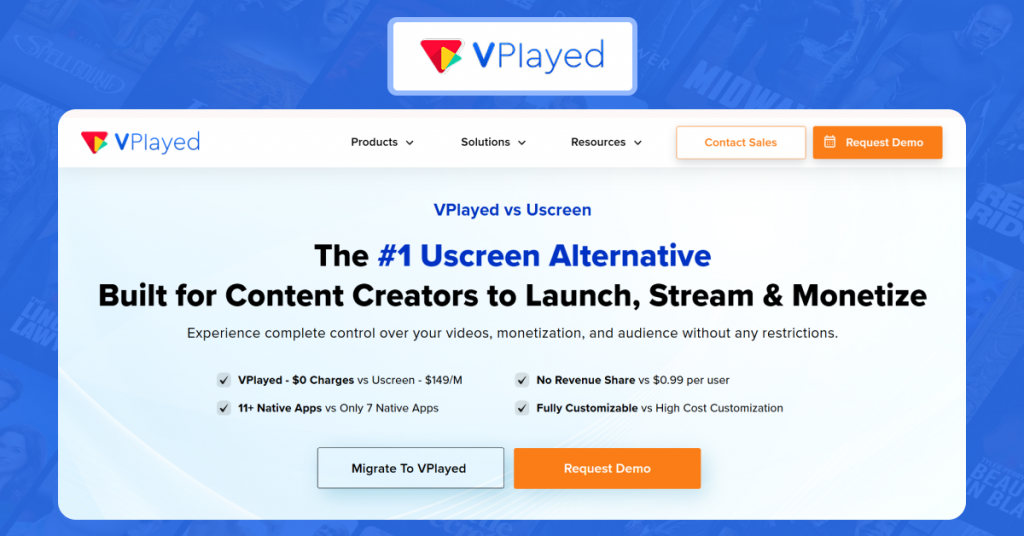
While Uscreen takes a share from your revenue (through per-subscriber fees), VPlayed lets creators keep 100% of their revenue. Also, creators can customize workflows, navigation panes, and subscription dashboards with source code access (front-end and back-end). While VPlayed doesn’t offer built-in community engagement tools, creators can integrate community platforms (e.g., Discord, Slack) to nurture community. When it comes to security, VPlayed excels with geo-blocking, two-factor authentication, multi-DRM, dynamic watermarking, and secure offline playback.
Key Features at a Glance:
* Multi-device Support: Launch branded apps across web, iOS, Android, and TV platforms (Roku, Apple TV, etc.)
* Monetization Models: Built-in monetization models like subscription (SVOD), advertising (AVOD), and transactional (TVOD) to maximize revenue.
* 4K Transcoding: Supports 4K transcoding that converts 4K video into lower bitrate formats for uninterrupted live stream and on-demand content delivery.
* Streaming Protocols: Supports both HTTP-based and RTMP protocols for live streaming and VOD.
VPlayed Pros:
* Zero revenue share model
* Fully white-label and customizable solution
* Robust analytics and centralized content management.
VPlayed Cons:
* Lack of free trial, although a guided demo version available (upon request).
* Less focus on built-in marketing suite
* Some features can take time to understand and implement.
Why Choose VPlayed over Uscreen?
* VPlayed is a reliable Uscreen alternative for enterprise businesses seeking greater control over their revenue. Unlike Uscreen’s subscription and pay-per-view approach, VPlayed supports SVOD, TVOD, AVOD, hybrid model, coupons, and several other monetization models.
* For businesses that do not want to spend often, VPlayed’s one-time perpetual license may work. You needn’t pay anything extra barring a one-time fee upfront. VPlayed offers flexibility in the way it is hosted, with self-hosted/on-premise or cloud hosting options. Whereas Uscreen can only be hosted on the cloud, for your information.
2. Brightcove
Best for Enterprises and Broadcasters
Brightcove extends beyond Uscreen with its enterprise-grade playback, well-suited for broadcasting companies. Built-in interactive features like quizzes, polls, and clickable points/links help transform casual viewers into participants. With Brightcove’s server-side ad insertion (SSAI), broadcasters can dynamically stitch ads to generate revenue. Brightcove’s marketing studio offers searchable video portals and integration support with platforms like HubSpot, Marketo, and Oracle Eloqua.
Key Features at a Glance:
* Brightcove Gallery: Enables users to create branded video portals that adapt seamlessly to desktop, mobile, and more.
* HTML5 Video Player: Natively called Brightcove Player 7, this embeddable player adheres to WCAG 2.1 accessibility guidelines. This makes the video player widely accessible to everyone.
* Developer APIs and SDKs: Enables granular access to every part of the platform, including native app integration, analytics, delivery, and more.
* Content Security: Brightcove possesses security certifications like ISO 27001 and CSA STAR Level 1 to boast its security supremacy.
Brightcove Pros:
* Strong integration ecosystem, including CRMs, marketing tools, and CMS platforms.
* Strong monetization and advertising capabilities
* Built to handle large video libraries and live streams.
Brightcove Cons:
* Limited pricing transparency
* Some users highlight limitations in reporting workflows
* Steep learning curve for non-technical users.
Why Choose Brightcove over Uscreen?
* Brightcove is an ideal alternative to Uscreen for broadcasters that deal with high-volume video libraries. Brightcove also offers studio-grade DRM that can secure large-scale video libraries, unlike Uscreen’s basic DRM.
* For broadcasting and content production companies prioritizing ad-based monetization, Brightcove is a no-brainer. Brightcove’s SSAI helps video streams bypass ad blockers without disrupting the viewing experience.
Don’t Miss Out On This Brightcove Alternative!
See if this Brightcove competitor matches up to your expectations. Switch to experience consistent growth in the dynamic market.
3. Dacast
Best for Media Production Companies
For content creators outgrowing Uscreen, Dacast offers a more scalable path forward. The platform is ideal for hosting live events, webinars, and RTMP for fast video delivery. With an embeddable and customizable HTML5 video player, businesses can embed the player on their website, social media page, mobile app, or smart TV app. Media production companies can create expo pages to suit their content category and configure them as playlists.
Key Features at a Glance:
* Monetization options: Built-in pay-per-view (PPV) and subscription (SVOD) options for revenue generation.
* Secure Delivery: High-security streaming, including AES encryption, password protection, and geographic restrictions.
* Multi-stream: Broadcast live content on Facebook, YouTube, Twitch, and any RTMP destination simultaneously.
* Direct S3 Upload: Enables you to transfer multiple video files at once. This approach is highly beneficial while migrating from Uscreen.
Dacast Pros:
* Affordable entry pricing makes it ideal for media startups.
* No revenue-sharing approach
* Simple interface and quick to set up.
Dacast Cons:
* Customization options are limited.
* Analytics lack depth.
* Some users feel the UI to be quite dated.
Why Choose Dacast over Uscreen?
* Uscreen’s per-subscriber fee is an expense that grows when your video business gets a new subscriber. Whereas Dacast’s bandwidth-based model depends on what you consume. Dacast gives you the leverage to control costs with video compression, streaming quality settings, and content delivery choices.
* Uscreen’s starting price stays at $49 per month while most of the essential features are stacked with the growth plan (starting at $149 per month). Dacast’s starting price of $39 per month offers 500GB of storage with live streaming and VOD platforms hosting capabilities.
Rethinking the Dacast platform you own?
Explore the top competitor of Dacast to make a smart switch and empower your streaming business with an all-in-one OTT solution.
4. Muvi
Best for End-to-End Content Delivery
Unlike Uscreen, which operates in silos, Muvi lets you launch an end-to-end OTT platform with ready-to-deploy infrastructure. With Muvi’s no-code drag-and-drop builder, you can create a movie streaming website or build a native app (iOS, Android) without code. For the media and broadcasting business, Muvi offers a comprehensive suite to handle digital media assets in multiple formats. Muvi also lets you launch linear online TV channels with its cloud playout software.
Key Features at a Glance:
* Monetization Models: Support for SVOD (Subscription), AVOD (Advertising), and TVOD (Transactional/Pay-Per-View).
* Muvi Playout: Offers a ready-to-launch solution for creating and managing 24/7 linear TV channels.
* Interactive Features: Broadcast live events with a comprehensive suite of interactive features, including live chat, real-time polls, Q&A, and pre-recorded capabilities.
* Security Aspects: Secures your video content with multi-DRM support, geo-blocking, watermarking, and more.
Muvi Pros:
* No-code capability makes set up easier.
* Build and deploy apps across web, mobile, and smart TVs.
* Responsive customer support
Muvi Cons:
* Limited website templates and design flexibility
* High starting price
* Marketing integrations are basic.
Why Choose Muvi over Uscreen?
* Muvi lets creators keep 100% of their revenue, unlike Uscreen that takes a percentage of transactions. Whether you have 100 users to 100k users, there’s no per-user fee with Muvi. This ensures broadcasters can scale their operations without worrying on the costs.
* Muvi One delivers up to 4K streaming quality while Uscreen is limited to 2K. On top of that, Muvi One offers DRM-enabled encoding and playback to protect content across devices, while Uscreen does not offer DRM-secured playback.
Top Muvi OTT Alternatives Worth Considering
Discover OTT streaming solutions that serve as strong alternatives to Muvi for content creators, broadcasters, and enterprises.
5. Kaltura
Best for Educational Video Delivery
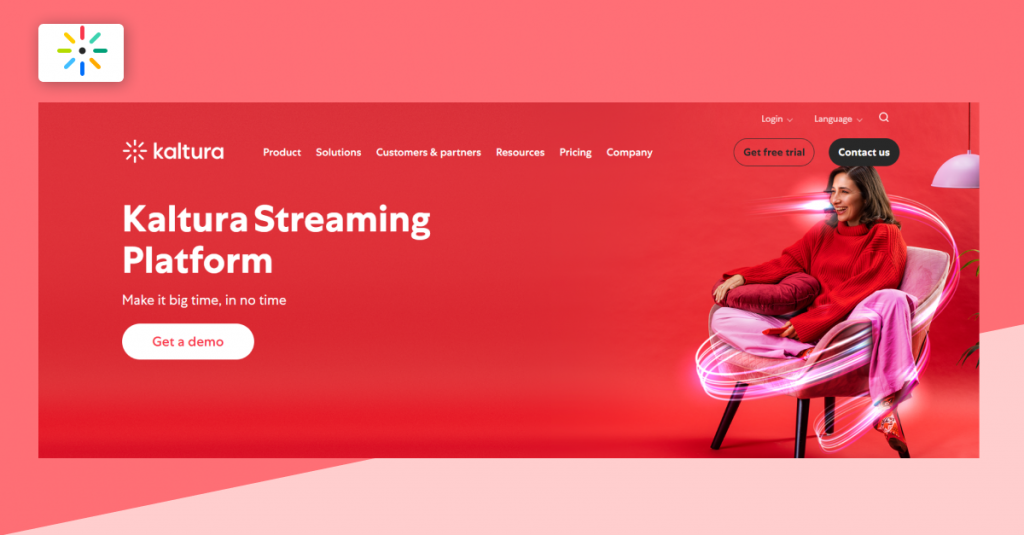
Kaltura outgrows Uscreen in educational use cases. It acts as a comprehensive video platform for education, often integrated into Learning Management Systems (LMS) for recording lectures and student assignments. The platform delegates access control mechanisms (with granular entitlements) to control who can access, view, or edit corporate training videos. With Kaltura’s customizable video portal, educational content creators can track engagement metrics both inside and outside their hub.
Key Features at a Glance:
* Monetization Models: Enables set up of various monetization models, including advertising (AVOD), subscriptions (SVOD), and pay-per-view (TVOD/transactional).
* Paywall Capabilities: Includes built-in paywall and subscription management to monetize live and on-demand content.
* AI Capabilities: Leverages AI to meet accessibility standards, generate searchable metadata, act as tutor for personalized learning, and various content repurposing tasks.
* Integration suite: Kaltura’s online video platforms integrates with tools like LMSes, CRMs, and many more.
Kaltura Pros:
* Highly extensible platform with open-source APIs.
* Capable of handling large video libraries and audiences.
* Comprehensive video management ecosystem.
Kaltura Cons:
* Pricing evaluation can get trickier based on use case.
* Requires significant technical expertise to set up
* Reviewers on Capterra report occasional slow uploads or processing times, particularly in large educational deployments.
Why Choose Kaltura over Uscreen?
* Kaltura is technically flexible due to its open-source nature. Whereas Uscreen is restrictive in nature, with fewer customization options to reflect your brand. Talking about integrations, Kaltura connects with multiple external tools. But Uscreen’s integration options aren’t expansive like what Kaltura has to offer.
* Another rudimentary factor where Kaltura excels is its interactive video features. Kaltura is exceptionally strong in offering interactive webinars, Q&A, polls, and virtual classrooms. Whereas Uscreen doesn’t have many features except interactive overlays.
Want To Choose The Best Uscreen Alternatives For Your Streaming Service?
Request Demo

6. Wowza
Best for Enterprises and Developers
While Uscreen prioritizes ease of use, Wowza offers control with a highly customizable streaming infrastructure. Thanks to its cloud-based infrastructure, media-tech enterprises can deliver video to a large number of users, with integration across web, mobile, and OTT applications. Due to its extensible architecture, enterprise businesses can integrate the Wowza streaming engine with their existing infrastructure using APIs and SDKs.
Key Features at a Glance:
* Streaming Protocols: Supports a wide range of protocols, including WebRTC (for low latency), RTMP, SRT, HLS, and MPEG-DASH.
* SOC-2 Type-2 Certification: Exhibits Wowza’s commitment to content security, privacy, availability, and processing of customer data.
* HTML5 Video player: Customizable player that delivers a stunning and user-friendly experience to viewers on any device.
* Flexible APIs: Helps build customizable workflows for any use case or industry needs.
Wowza Pros:
* Highly extensible to build your own video streaming solution.
* Supports cloud, on-premise, and hybrid deployments
* Handles large-scale streaming events.
Wowza Cons:
* No built-in monetization system, set up separately.
* Support and licensing costs may increase expenses
* Requires infrastructure management.
Why Choose Wowza over Uscreen?
* Wowza streaming engine can deliver low-latency, high-quality live streams at scale. Whereas Uscreen caps live streaming hours per plan. This restricts media enterprises and broadcasters that require high-volume live streaming, which Uscreen wasn’t built to handle.
* Uscreen is exclusively cloud-based with no self-hosting option. Whereas Wowza offers that flexibility in hosting options, including on-premises, cloud (private, public, hybrid), and edge. This helps healthcare organizations and government broadcasters that cannot host their content on shared cloud hosting.
Having said that, the trade-off worth noting is that Uscreen has built-in monetization setup, unlike Wowza which doesn’t, and you’d have to bring your own set up.
7. Vimeo
Uscreen Alternative similar to Uscreen
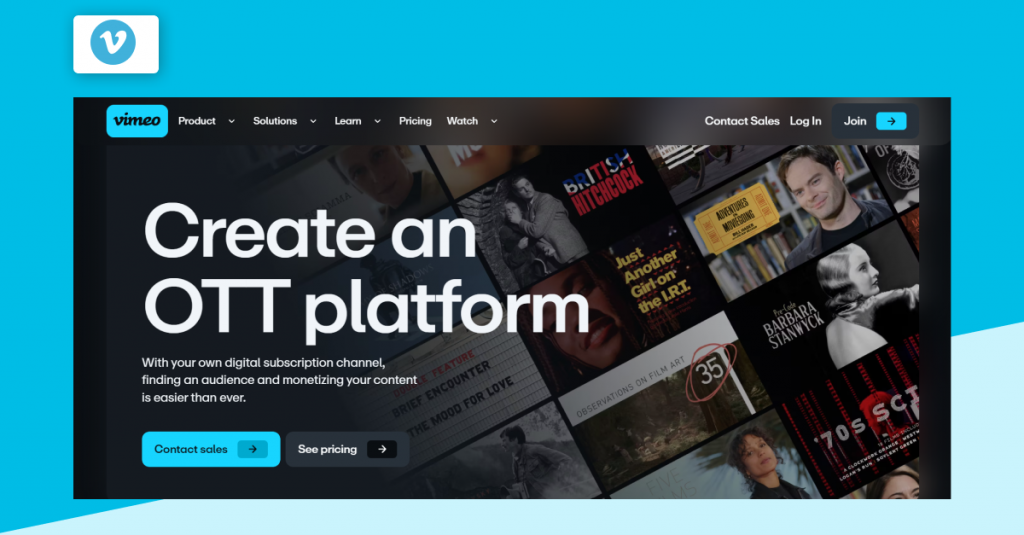
Like Uscreen, Vimeo operates on a per-subscriber pricing model. However, Vimeo outgrows Uscreen with its broader video ecosystem, including tools for hosting, editing, collaboration, marketing, and analytics. Vimeo offers ad-free hosting (without pre-roll or mid-roll ads), leaving content creators with subscriptions or transactions for monetization. Creators can record a video, edit it out, schedule it for social media publishing, and market/promote using Vimeo’s built-in tools.
Key Features at a Glance:
* Branded apps: Launch branded streaming apps for iOS, Android, Roku, Amazon Fire, Apple TV, and more.
* Vimeo Review: Acts as the centralized feedback loop, where you can address time-stamped comments for your videos.
* Customizable player: Add interactive elements like quizzes, CTAs, and end screens to the video player on top of your branding.
* Integration suite: Extensive integration support means you can enhance video streaming operations while keeping data in sync with the external tool.
Vimeo Pros:
* Intuitive interface with minimal set up
* Supports web, mobile, and TV apps for reaching audiences.
* Enables both live streaming and on-demand content.
Vimeo Cons:
* Per-subscriber fees can take a significant cut into your revenue.
* Dependency on platform ecosystem.
* Less suitable for enterprise broadcasting workflows.
Why Choose Vimeo over Uscreen?
* Vimeo is specifically better for early-stage content creators, as they can test monetization with built-in video creation and collaboration tools. While Uscreen focuses more on content delivery and selling subscriptions, Vimeo brings everything together, including recording, editing, collaboration, and marketing.
* Vimeo started as a video hosting platform. Hence, this platform is much easier for creators transitioning from YouTube or Uscreen.
Which Uscreen Alternative is Right for Your Business? Use Case-Based Recommendations
The right Uscreen alternative is not about how feature-heavy the platform is, but instead what pain point it tries to address. We simulated certain streaming workflows while exploring free trials and demo versions. This helped us figure out which platforms excel in each use case.
1) For Full control over Infrastructure
Top pick: Wowza
Wowza is well-suited for healthcare, finance, and governmental organizations that want to own data in-house. Wowza offers an extensible infrastructure for healthcare and finance businesses, where they have greater control over building custom workflows, hosting options, and securing data.
2) For Large-scale Streaming
Top picks: Brightcove, Kaltura
Thanks to its NextGen live technology, Brightcove can support high-profile live events with over 200,000 concurrent viewers. Likewise, Kaltura is ideal for complex workflows, especially in education and media-tech enterprise environments. Broadcasting companies dealing with large-scale content libraries and high-profile live streams can choose either of the platforms.
3) For Full Revenue Ownership
Top pick: VPlayed
For businesses that cannot own their revenue with Uscreen, VPlayed offers complete freedom from revenue-sharing. While offering multiple monetization models, VPlayed allows businesses to retain their control over revenue and platform ownership. Also, VPlayed offers complete access over branding and customization options.
4) For Businesses to Launch Quickly
Top picks: Vimeo, Muvi
Vimeo takes a minimalist approach. For creators and businesses looking for an immediate replacement to Uscreen, Vimeo is a no-brainer. On the other hand, Muvi’s no-code builder option enables businesses to launch an end-to-end OTT platform across multiple platforms. However, the point to be noted here is that, while Muvi has a high starting price, Vimeo follows a per-subscriber pricing model.
How to Migrate from Uscreen to a New Platform?
Once you’ve decided that you want to migrate from Uscreen, communicate the decision to every subscriber/user that might be relevant to your business. Transferring your content library and subscriber data is a complex task. However, with the following steps, you can navigate the common platform migration challenges.
* Export Subscriber list: Download your full subscriber database (in CSV), which you can re-import into your new platform.
* Player & embed updates: Replace existing embed codes with new ones. Use JS (JavaScript) embed codes to embed HTML5 video players or paywalled content directly on your website or social channels.
* Monetization setup: Map your imported content to the monetization model (subscriptions, transactions, or advertising-based). How you set up each model may differ based on the platform you choose.
* Workflow re-build: You should flag existing workflows that have no meaning to your business anymore. Build new workflows using the Uscreen alternative’s dashboard settings or APIs.
Structured migration with a proper planning ensures minimal disruptions to the business operations and revenue. Plan each step carefully, test thoroughly, and transition confidently to your new platform without losing valuable data or subscribers.
Before migrating from Uscreen, ensure you’ve backed up the following data:
| What to Migrate | What to Do |
| Subscriber data | Export CSV |
| Video content | Download library |
| Performance data | Export analytics (if Uscreen allows it) |
| Payment data | Export billing history |
Conclusion
As we approach the end of this blog, let’s ponder the key takeaway.
Is there a standout alternative to Uscreen, or does Uscreen remain the standard choice? Although it is apparent that Uscreen can be an excellent option for specific users, but not a perfect fit for everyone, in video streaming platforms.
Since not every OTT platform seamlessly aligns with individual requirements. Hence, opting for a fully customizable solution equipped with essential tools to create your unique OTT streaming service is a wise move.
For instance, VPlayed emerges as an all-in-one OTT solution for building live streaming solutions to build the best video streaming platforms tailored to your needs.
It covers nearly all the essentials needed to operate your streaming business efficiently, It covers nearly all the essentials necessary to operate your streaming business, tailored to your needs.
Alternatively, you might consider established players such as Brightcove or Vimeo, albeit it comes with a premium cost. In the end, regardless of your choice, always select a platform that aligns best with your vision, needs, and budget.
- Request Demo Book a Live, Personalized Demo
- Contact Sales Reach Out to Our OTT Experts
Is Brightcove Holding You Back?
People Frequently Read:


